Using Maptool to run an online Campaign
I recently started using MapTool to run my online campaign- I'm going to be updating this with all the trick and trips I encounter along the way.(I apologize for the lacking image quality.)
Requirements
First, maptool itself.
http://www.rptools.net/index.php?page=downloads#MapTool
MapTool was written with Java, meaning that most computers with the Java RunTime Environment will have no problems utilizing it.
Next, I'd create a resource folder on your desktop for easy reference and storage of any files maptool might need. These can range from images for tokens, maps, or even macros (which I'll get into shortly.)
Sadly, Maptool is -not- a program that allows for drawing of a map- you will want and need an image of whatever map you want players to be on to use. Drawing these, or finding the tiles required can be tedious, time consuming and challenging. I've taken to using Tiamat (http://www.rpgobjects.com/tiamat/index.php) for my mapping needs, although the program is not free to use.
Players always help.
First Time Opening
So, open Maptool.
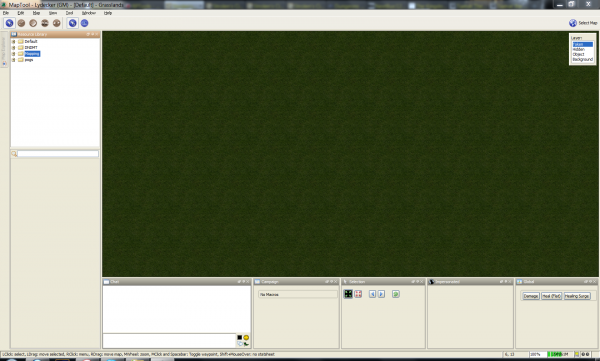
So from this screen, let's get a map, some tokens on the field, and cover sight.
If you go to Map -> New Map (Or hit CTRL+N), you'll see this. I've circled and numbered the steps in order, for convenience sake.
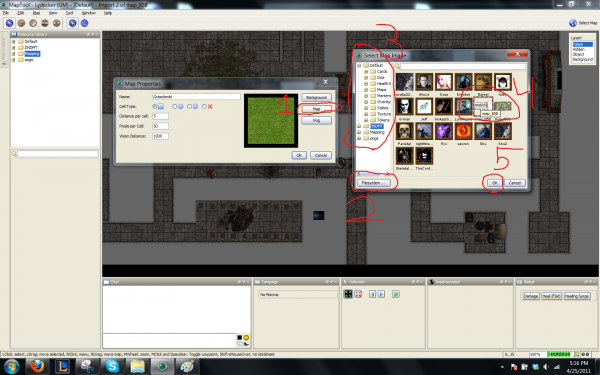
After clicking okay on that last window after selecting the map image to use- you should be staring at a blank image of your map. Next up- vision blocking. MapTool supports dynamic fog of war, meaning a few things:
1: You have a great deal of control over what a player sees through their piece.
2: Maps can start entirely unrevealed.
3: Knowledge of explored areas can remain, although the whereabouts of creatures and/or objects can change when they don't have current vision of an area.
4: Their view will change as they move around the board.
Vision Blocking blocks vision. Simple, easy.
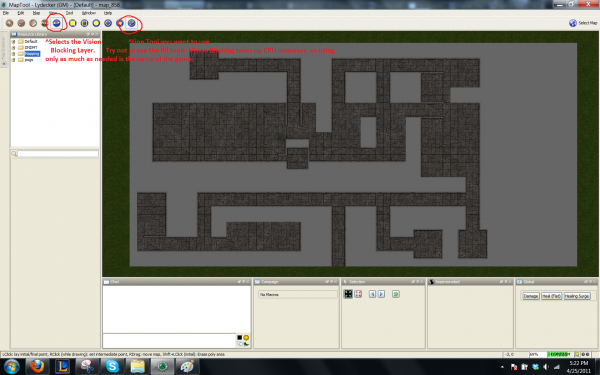
Using the Line tool is simple. Left click to start the line. Left clicking again draws the line and allows you to start a new line by left clicking again. Right clicking while drawing the line allows you to draw the first segment and use the endpoint as the new startpoint for a second line.
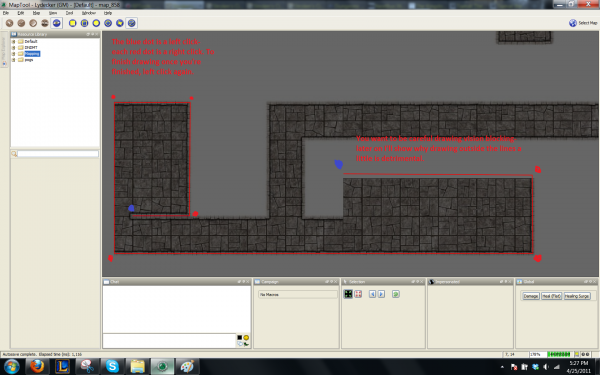
Oh, please note. Those red lines will turn blue once you actually draw the vision layer. Now say you screw up (I do it constantly). To erase vision blocking, select the rectangle tool, cover the area you want to erase (Left click, move mouse to cover area), then shift left click. Shift undoes what the drawing tools usually do- in most cases.
So, yay, vision is blocked- er, kinda. There's nobody to see what can be seen.
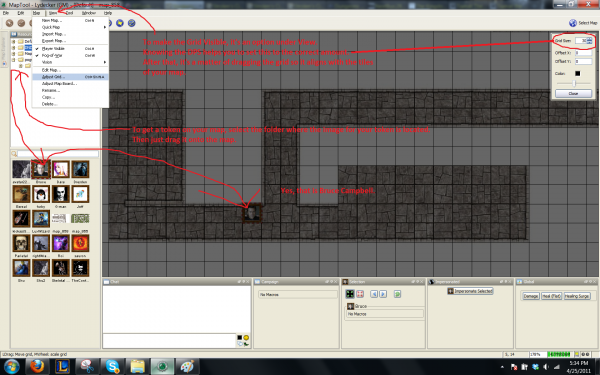
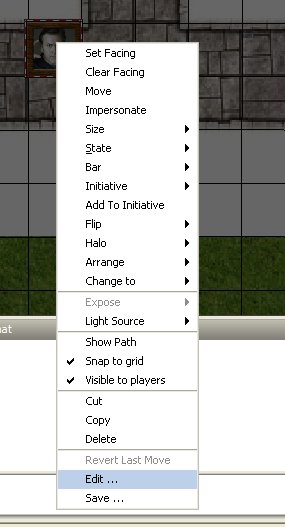
Now to edit a token, right click on it and select edit.
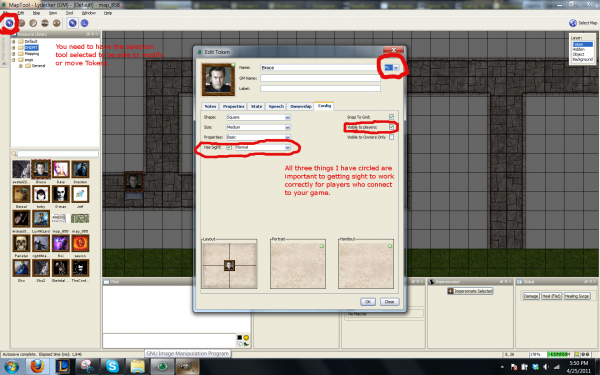
So click okay... and... wait, what?
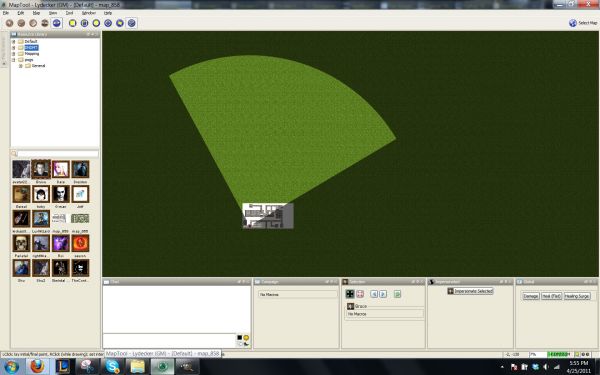
That's a -huge- cone of vision, it's going past my entire map. BUT! if you look closely, the Vision Blocking I did draw IS working. (Remove it and Bruce Campbell there will see a giant circle all around him.)
So, under Map->Vision, you'll find three settings. Off, Day, and Night.
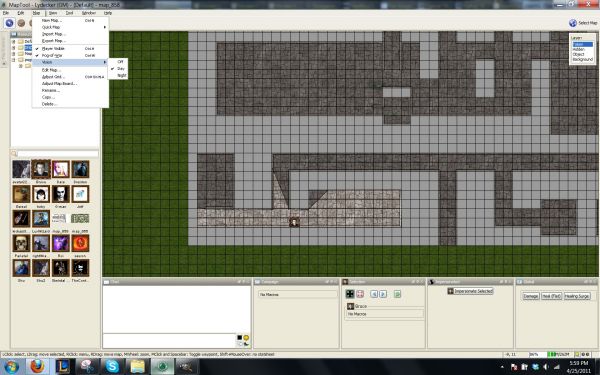
Off Turns off dynamic fog of war, and the like.
Day basically allows a character to see a VERY long ways unless blocked by sight blocking.
Night restricts a character to no sight without a light source.
(To Apply a Light Source, Right Click on a token, go to light source, and assign one there.)

Not Registered Yet? No problem.
Do you want Strolenati super powers? Registering. That's how you get super powers! These are just a couple powers you receive with more to come as you participate.
- Upvote and give XP to encourage useful comments.
- Work on submissions in private or flag them for assistance.
- Earn XP and gain levels that give you more site abilities (super powers).
- You should register. All your friends are doing it!